Contact overload
YaGo keeps your phone book clean — no more saving leads and one-time callers just to reply to them.
YaGo shows who's calling and lets you WhatsApp, SMS, call back or set a follow-up reminder in one tap — without cluttering your contact list. Made for sales & customer-care professionals.
Sales reps, receptionists and support teams talk to dozens of new numbers a day. Saving each one clutters your phone and wastes time.
YaGo keeps your phone book clean — no more saving leads and one-time callers just to reply to them.
Go from an incoming call straight to WhatsApp, SMS or a callback without switching between apps.
Your contacts and call list stay on your device. Nothing is uploaded, sold or tracked.
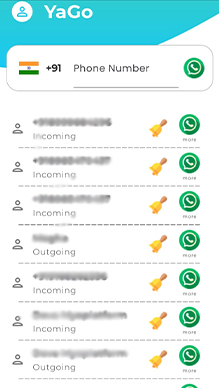
YaGo displays your incoming calls with the caller's name (from your contacts). Get set up in under a minute.
Install YaGo free from the Google Play Store on your Android phone.
Open the app and turn on Call Screening. It takes about 30 seconds.
Contacts to show caller names, Notifications for reminders. Calendar is optional.
Tap any call to WhatsApp, SMS, call back or set a reminder — no saving needed.
Your Phone app handles calls normally — YaGo doesn't replace it. It just gives every call four quick actions.
Built for people who get calls from new numbers all day.
Say goodbye to cluttered phone books. With YaGo there's no need to save a contact to send a WhatsApp message.
Message unknown numbers that aren't in your phonebook or that you've never chatted with before — on WhatsApp or SMS.
Set callback and follow-up reminders in one tap so you never miss an opportunity to nurture a lead.
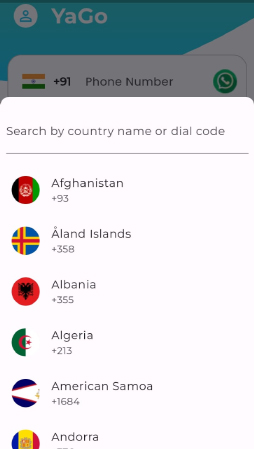
Choose your country code and use YaGo from anywhere in the world.
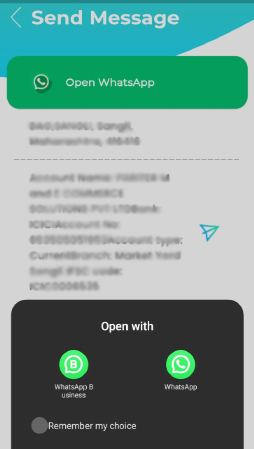
Using WhatsApp and WhatsApp Business? Pick which account each message goes from.
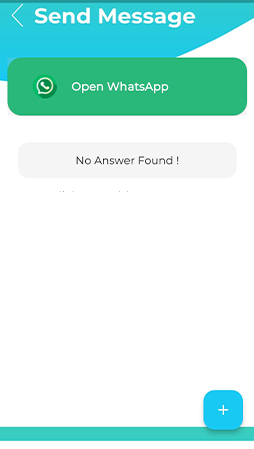
Create your own list of frequent answers and send them in a tap — prices, addresses, timings and more.
Every feature is free. Go ad-free only if you want to.
Create a list of frequent replies and send them instantly.
Schedule follow-ups so no lead goes cold.
Published on the Google Play Store and built privacy-first.
A clean, simple interface that puts every caller one tap away from a conversation.
You're in control — grant or deny permissions any time, and delete your data any time.
Contacts are accessed on your phone and never uploaded.
Call Screening does NOT read your call history.
All app data is stored on your device, and you can delete it any time.
No third-party sharing of your contacts or calls.
Read our full Privacy Policy and Consent Policy.
Enjoy unlimited messaging without restrictions. Upgrade only to remove ads.
Every feature, supported by ads.
₹0
Forever
All features, zero ads for half a year.
₹799
for 6 months · ≈ ₹133/month
The smartest choice for busy teams.
₹999
for 1 year · ≈ ₹83/month
Ad-free plans are purchased inside the app. Plans don't auto-renew. See our Cancellation/Refund Policy. Need YaGo for a large team? Contact us.
YaGo is a free Android utility app that lets you send WhatsApp messages and SMS to any number without saving it as a contact. It shows your incoming calls with the caller's name, and from any call you can send a WhatsApp message, send an SMS, call back or set a follow-up reminder in one tap. It is built for sales, business, BPO and customer-care professionals.
Install YaGo from Google Play and enable Call Screening when you first open it (it takes about 30 seconds). After that, every incoming call appears in YaGo. Tap the call and choose “WhatsApp” — a chat with that number opens in WhatsApp straight away, and the number is never added to your contacts.
Not yet. YaGo is currently available on Android worldwide through the Google Play Store. An iOS version is planned.
Yes. Your contacts are read locally on your phone and are never uploaded. Call Screening does not read your call history, your incoming-call list is stored only on your device, and YaGo does not share your data with third parties for tracking. You can grant or deny permissions and delete your data at any time.
Yes, YaGo is 100% free to use with all features. If you prefer no ads, you can choose an ad-free plan: ₹799 for 6 months or ₹999 for 1 year.
No. There is no limit on the number of messages you can send with YaGo.
No. YaGo complies with WhatsApp's rules. It simply opens a chat in your own WhatsApp app and you send each message yourself, so your normal WhatsApp experience is unchanged.
No. YaGo is designed for one-to-one conversations with people who call you. You can't send bulk messages from YaGo.
No. Your regular Phone app keeps handling calls exactly as before. YaGo works alongside it using Android's Call Screening feature to show callers and give you quick actions.
Contacts (to show caller names), Notifications (for follow-up reminders) and, optionally, Calendar. You are always in control and can change these in your phone settings at any time.
Communicate without the contact-saving hassle. Free on Android, worldwide.
Questions, feedback or team plans? We're happy to help.